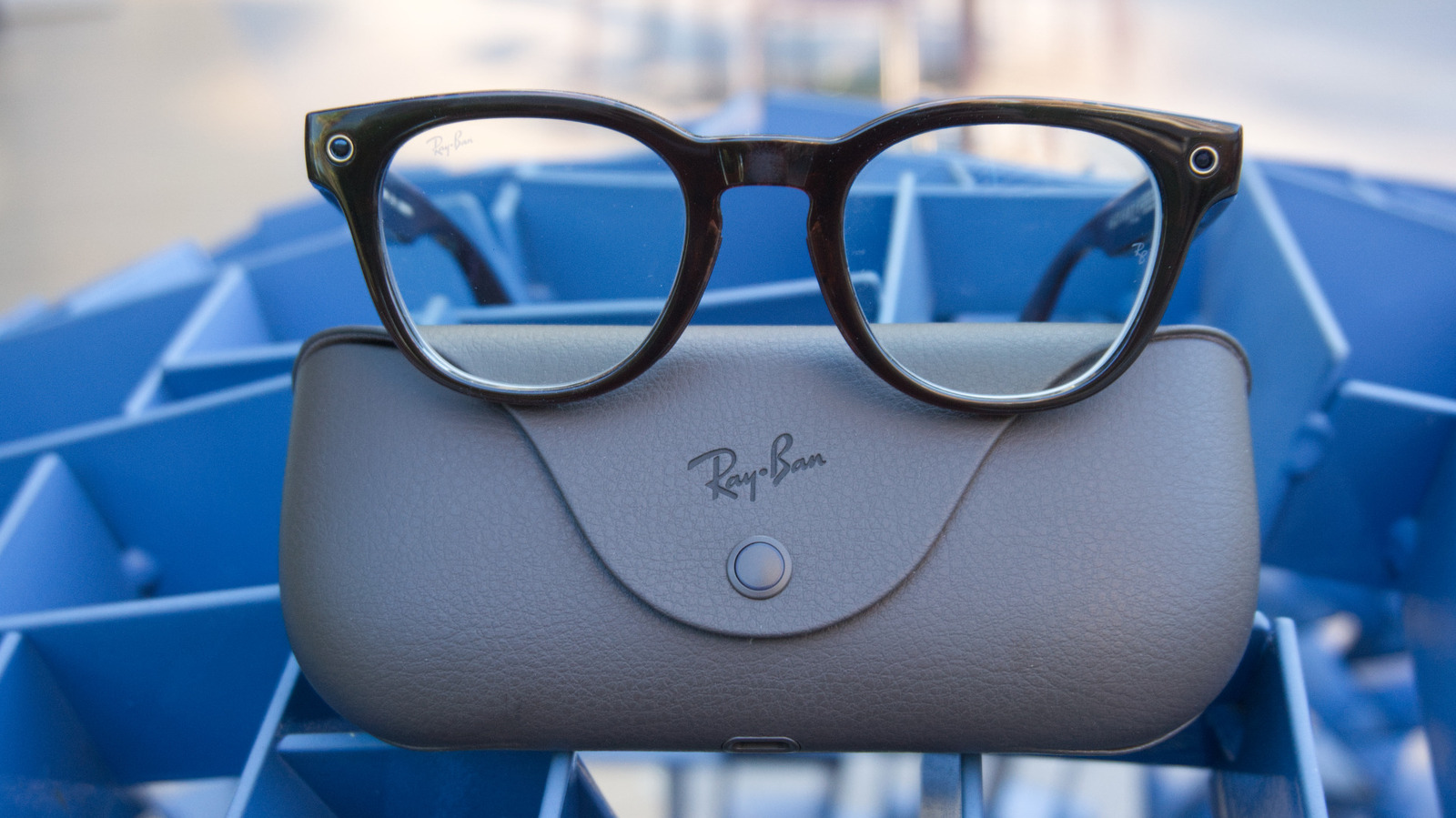
The expensive, prescription-ready smart glasses have a premium fit and a few extra features.
By Karissa Bell June 22, 2026 2:18 pm EST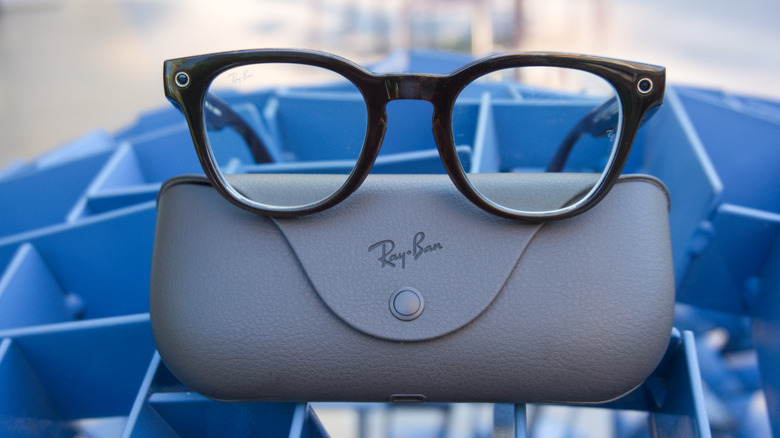 Karissa Bell for Engadget RATING : 7.4 / 10 Pros
 - Action button adds more flexibility
- Better fit and more "normal" looking frames
- Solid battery life
- Meta AI feels a bit nosy
- Extremely expensive
What if your prescription glasses could also be smart glasses? That's the basic premise of Meta's "Optics" line of Ray-Ban eyewear. The company has supported prescription lenses in many of its frames for years, but custom lenses were never really a primary use case.
With the Optics line, though, Meta and Essilor Luxottica tweaked their second-generation Ray-Ban frames to make them more suited to people who are glasses-wearers by necessity, not just by choice. The frames come with extra customizable elements that make them more similar to the regular glasses you'd get from your eye doctor, but are otherwise broadly similar to the rest of the Gen 2 lineup.
The result is probably the most comfortable pair of Ray-Ban Meta glasses I have tried. But adding custom lenses to the $499 frames also comes with significant extra cost that just doesn't make sense for most people — unless you have a particularly generous vision insurance policy. But if you are all-in on Ray-Ban Meta glasses, and want something for all-day, everyday wear, the investment could be worth it.
Gen 2 gets a refresh
 Karissa Bell for Engadget
 As someone who often wears contacts, but defaults to my prescription glasses most days of the week, Ray-Ban Meta glasses with see-through (but not prescription) lenses haven't made much sense to me. I get that having transition lenses can make an expensive pair of glasses useful in more situations, but I've generally preferred the sunglasses form factor because it tends to be a better fit for the situations when I most want to reach for a pair of smart glasses.
That said, I've always wondered if I would feel differently if I had my own prescription in a pair. After wearing the Ray-Ban Meta Optics as my primary glasses for two weeks, I'm starting to see the appeal. The glasses are very similar to the second-generation frames, but have a few upgrades that make them easier and more comfortable to wear throughout the day.
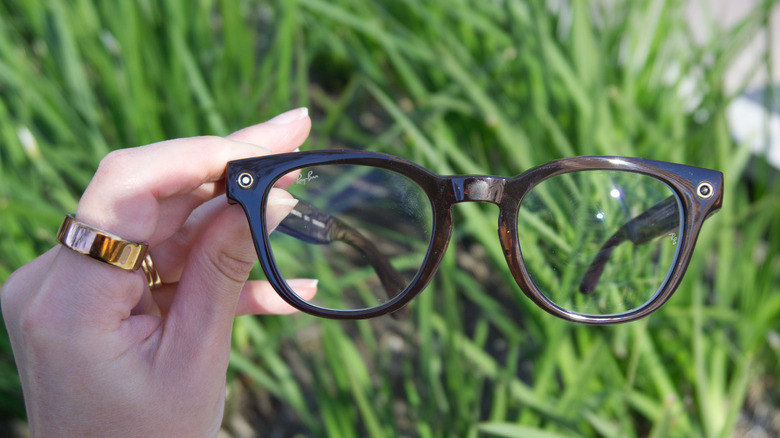
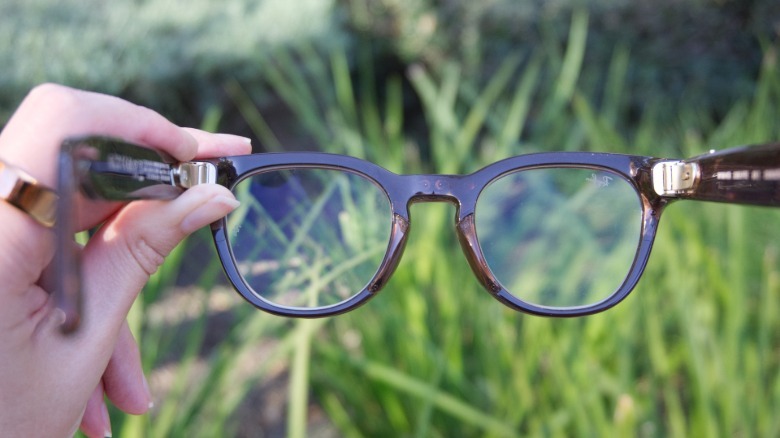
One issue I've had with just about every pair of Ray-Ban Meta glasses is that the slightly oversized frames tend to slip down my nose. With the Optics lineup, Meta made the inner nosepads swappable so you can get a more secure fit. I changed the "universal fit" pads that came on out of the box for the "high bridge" pads and immediately noticed less slippage. There's also a low bridge option included if you need it.
 Karissa Bell for Engadget
 The "Scriber" style frames I tested were still oversized, but they stayed on my face better than the Gen 2 Wayfarers I tested last year. The tips of the glasses are also moldable (at a Meta store or optician's office) so you can get an even more precise fit, though I didn't have this done with my pair. I found that the overextension hinges helped a lot with overall comfort, and I didn't have issues with the glasses pressing uncomfortably around my ears like I do with many other frames.
I also appreciated that the frame styles felt a bit more subtle than previous versions. The "Scriber" frames I tested were still larger than the glasses I would normally choose for myself, but the color scheme felt more natural than the brightly-colored or super-dark styles Meta has had in other lines. I had multiple people tell me they had no idea I was wearing smart glasses rather than "regular" Ray-Ban frames.
Meta has also improved the battery life slightly compared with the other Gen 2 glasses. While the older Gen 2 model gets "up to 8 hours" of battery life, according to Meta, the Blayzer and Scriber frames are rated for "more than 8 hours." Battery life in general is very dependent on what you're doing, some features will drain it a lot quicker. But I found I was easily able to wear my Scriber frames for well over 8 hours without charging. That's with intermittent audio from the open-ear speakers and occasional Meta AI use.
 Karissa Bell for Engadget
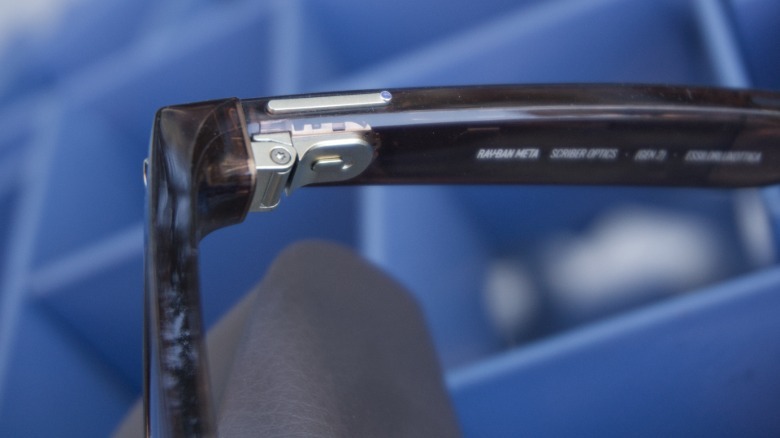
 The other big change with the optics line is the addition of an action button, a customizable button that acts as a shortcut for frequently-used commands. The feature first debuted on the Oakley Meta Vanguard sunglasses, which had the button on the bottom side of the frames. On the Optics-branded glasses, it's now a tiny extra button on the end of the main capture control.
When I reviewed the Vanguard shades I never really landed on one "ideal" use case for the button. But after some more time with my latest frames, I think I've figured out the best setup.I use the "custom prompt" setting (you can adjust it in the Meta AI app) to "read my latest text message."
This is ideal because while I appreciate that my glasses can announce when I get an incoming text (a lot like how Siri will with AirPods), I don't always want Meta AI to just start reading them by default. It can be extremely disruptive if I'm in the middle of a conversation or concentrating on a task. But with the action button, I can just give it a quick push to hear my texts, with no need to say "Hey Meta." It's even more subtle than glancing down at my phone.
Meta AI's new brain
 Karissa Bell for Engadget
 Meta has made some significant changes to its onboard assistant in recent months. None of these are specific to the Ray-Ban Optics lineup of frames, but there are some updates worth highlighting.
Behind the scenes, Meta AI on the company's glasses is now powered by the company's newest AI model, Muse Spark. The main benefit is that Meta AI is more responsive and conversational. You can interrupt the dulcet tones of AI Dame Judi Dench (my preferred Meta AI voice) mid-reply, or ask followup questions without having to say "Hey Meta" every single time. I've also found that Meta AI responds a bit faster and is generally better at grasping the context of what you're asking.
This also means that Meta has lengthened the window in which the assistant keeps "listening" after you stop talking. In my experience, Meta AI stayed active for a full 20 seconds after I stopped talking (there's an inner indicator light on the glasses that turns on when the assistant is using the mic). That just feels like a really long time, particularly given some of the privacy concerns around Meta's data collection practices. It also led to some awkward moments when someone else in the room started talking before the mic had shut off, which resulted in Meta AI babbling in my ear when what I really wanted was to hear the person next to me. Meta does allow you to disable this setting though it's on by default. It would be nice to have the option to shorten the window in which Meta AI keeps listening instead.
Meta also touted some new health-related abilities, like getting nutrition info by asking Meta about the meals or ingredients you're looking at. I was a lot less impressed by this feature, which worked inconsistently at best.
 Karissa Bell for Engadget
 If I asked Meta AI to "tell me the nutrition info for this" it was able to activate the camera, identify the food and provide an estimate. But it was unable to do the same if I asked "how many calories is this?" Instead, it would say "checking the calories for you," but wouldn't take a photo so it would come back with a response like "tell me about what you're eating and I'll let you know." On the other hand, when I jokingly asked "Hey Meta, is this a high protein snack?" while looking at my cat, it was able to "see" what I was looking at, clock my joke and respond appropriately (don't worry, no cats were harmed in the course of this review).
There were also some accuracy problems. I asked Meta AI for nutrition info for a very small avocado and it gave me the details for a "medium avocado." When I asked about a pizza on my kitchen counter, it correctly identified it as "Sicillian-style," but misidentified the number of slices and the toppings. These aren't major mistakes; I expect Meta will iron out a lot of this in future updates, but it can be a bit frustrating when you have to repeatedly correct the assistant or rephrase your question just to get it to trigger the correct prompt.
Should you buy these?
 Karissa Bell for Engadget
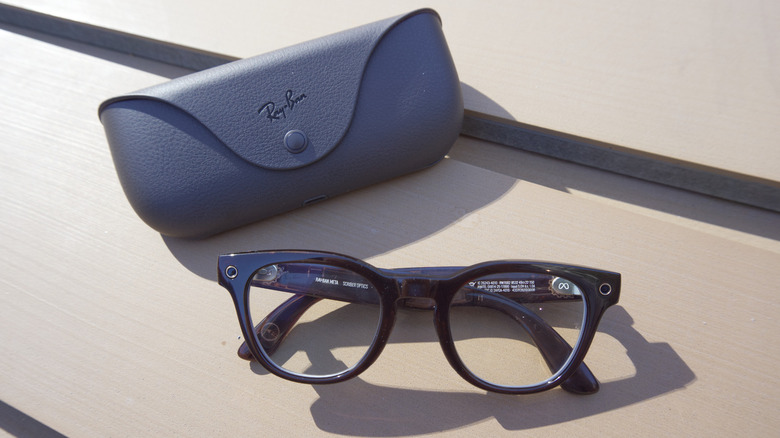
 How much money are you comfortable spending on a pair of glasses? The base price for the Optics frames is $499, but adding in prescription lenses could nearly double it. I tried to price out the configuration Meta sent me, which included my (not super high-powered) prescription, a blue light filter and scratch-resistant coating. It came out to over $700 before tax and shipping. And that wasn't even the most-expensive possible option (transition lenses will cost more, for example). That just feels really expensive for a pair of glasses, especially if your prescription tends to change every year. I'm also not sure how realistic it is to use most vision insurance plans, considering not all practices will carry Ray-Ban Meta styles.
There are other factors to consider besides price. There have always been privacy concerns associated with Meta's smartglasses, and those have only intensified. As I've noted before, Meta no longer allows people in the US to opt out of storing voice recordings in the cloud. And any time you use a multimodal feature, like asking Meta AI to provide nutrition info or analyze something in your surroundings, you're allowing the company to use that image to train its AI models. That could result in outside contractors in another country viewing and labeling those snapshots. (Meta says it doesn't train its AI on video and images you capture to your camera roll.)
More recently, there have been reports that Meta is considering adding facial recognition to its glasses. Earlier this month, researchers uncovered an unreleased version of such a feature called "name tag." Meta has said it hasn't made a final decision on the feature, and removed the code soon after it was reported by Wired. But all that has, understandably, increased suspicion around these products and fueled the notion that buying a pair is akin to opting into a dystopian surveillance state.
I don't personally share the view that anyone who wears a pair of Meta-branded glasses is automatically a "creep," even though I do find the idea of a glasses-enabled facial recognition feature disturbing. But I do think these perceptions should factor into your decision to get a pair, especially if you plan to plunk down $700. I would be annoyed if I spend that much on glasses only to have random people tell me I'm a creepy weirdo for wearing them.
Ultimately, if you already like Ray-Ban Meta glasses, and you want to use them with your prescription, the Optics line is definitely the most comfortable, premium version you can get. It's just a question of whether you can justify what it costs.