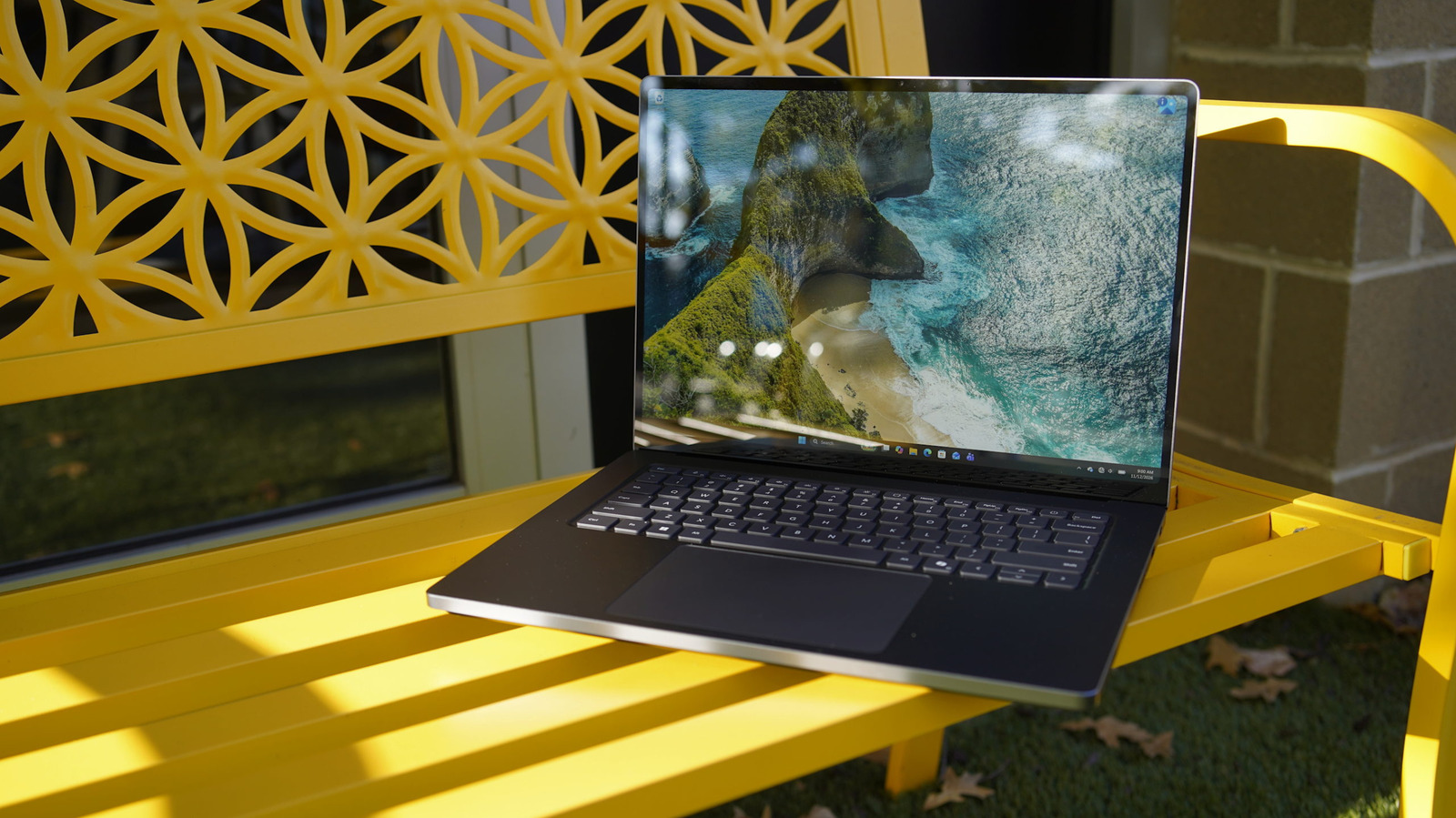
It’s a beautiful flagship device for NVIDIA’s RTX Spark.
By Devindra Hardawar Nov. 13, 2026 8:00 am EST Devindra Hardawar for Engadget Add Engadget on Google: Preferred Source Google Discover RATING : 8.9 / 10 Pros
- Sleek design
- Bright Mini-LED screen
- Powerful RTX Spark chip
- Excellent keyboard and trackpad
- Expensive
- Apple’s M5 Pro is far faster
With a name like Surface Laptop Ultra, Microsoft's latest notebook better be impressive. It's one of the flagship devices for NVIDIA's new RTX Spark platform, making it the most powerful Surface device yet. It can be equipped with up to 128GB of unified memory, which is ideal for running local AI models. And in just about every other respect, from its super-bright 15-inch screen to its sleek case, the Surface Laptop Ultra screams quality. So sure, the name fits.
But with its high $2,599 starting price, which easily escalates if you want to go beyond its stock 24GB of RAM, the Surface Laptop Ultra is really only meant for the most demanding users. To be fair, though, the same is true of all the RTX Spark laptops, including the excellent ASUS ProArt P16 we recently reviewed. Even Apple is pushing the limits of laptop pricing with its new touchscreen MacBook Pros with PROLED screens, which start at $2.899.
Like some sort of cosmic capitalist joke, PC makers have inexplicably decided to release pricier computers, even though we're already suffering from AI-driven memory price hikes. I'm sure the Surface Laptop Ultra's high price won't stop AI enthusiasts who've been eagerly awaiting capable Windows systems from buying one, but most gamers and content creators would likely be better off saving $1,000 and buying a capable gaming laptop instead.
What's notable about the Surface Laptop Ultra?
 Devindra Hardawar for Engadget
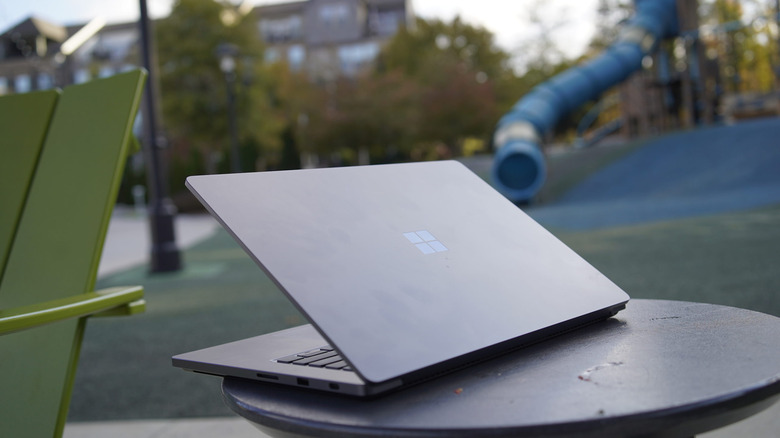
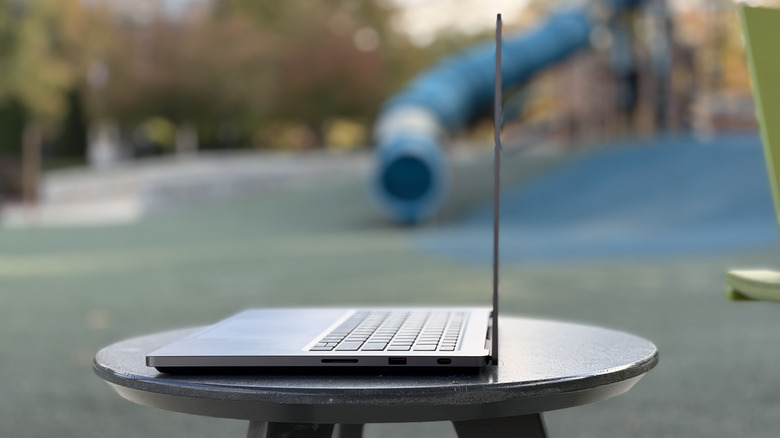
Much like the standard Surface Laptop, the Ultra variant doesn't have any of the bells and whistles from Microsoft's convertible Surfaces. It just looks like a sleek, all-metal business laptop. Pop it open and you'll notice that its 15-inch screen has a tall 3:2 aspect ratio instead of the typical widescreen configuration. And if you peer along the bottom of the case, you'll see a slightly segmented base (reminiscent of the Surface Laptop Studio), which makes a bit of room for cooling vents and downward-firing speakers.
While there's a lot to admire about Microsoft's design prowess, the biggest selling point of the Surface Laptop Ultra is NVIDIA's RTX Spark chip. It's an Arm-based system-on-a-chip that can be equipped with up to 20 CPU cores and 6,144 GPU cores. Take note: You'll need to shell out $3,700 to get the most powerful RTX Spark hardware here, but at least that ships with 32GB of RAM. The base $2,600 Surface Laptop Ultra has 18 CPU cores and 5,120 GPU cores.
Taking a cue from Apple Silicon and Qualcomm's recent Snapdragon X chips, the RTX Spark also features unified memory, which is accessible to both the CPU and GPU. That gives it even more memory bandwidth than a typical Intel or AMD-based Windows PC, which have their RAM, CPU and dedicated GPUs spread out across their motherboards. By having direct access to tons of RAM, RTX Spark hardware can also house large AI models locally, which is a major reason why both Microsoft and NVIDIA are pitching it as a major evolution for PCs.
Thanks to its NVIDIA GPU cores, the RTX Spark chip also delivers gaming performance similar to an RTX 5070 laptop GPU. That makes it ideal for 1440p gaming, and you can probably also get decent performance in 4K and other higher resolutions thanks to NVIDIA's DLSS upscaling and frame generation. The Surface Laptop Ultra starts at a much higher price than most RTX 5070 gaming notebooks, though, so it's not something you'd want to buy for pure gaming.
The RTX Spark's Arm CPU is both a blessing and a curse: It technically can perform more efficiently than Intel and AMD's x86-64 chips, but it also requires emulating older Windows software and drivers. That opens the door to unforeseen bugs and issues, especially for niche apps and minimally-supported third-party drivers. While this was a major problem when Microsoft first started dabbling with Windows on Arm (think back to the original Surface with Windows RT or the Surface Pro X), the company's emulation for x86-64 software has dramatically improved. Kernel-level anti-cheat software for multiplayer games initially didn't work on the first Snapdragon X Windows systems, but both Microsoft and NVIDIA have worked on resolving that. Now, you can easily play Fortnite Arm-based Windows systems.
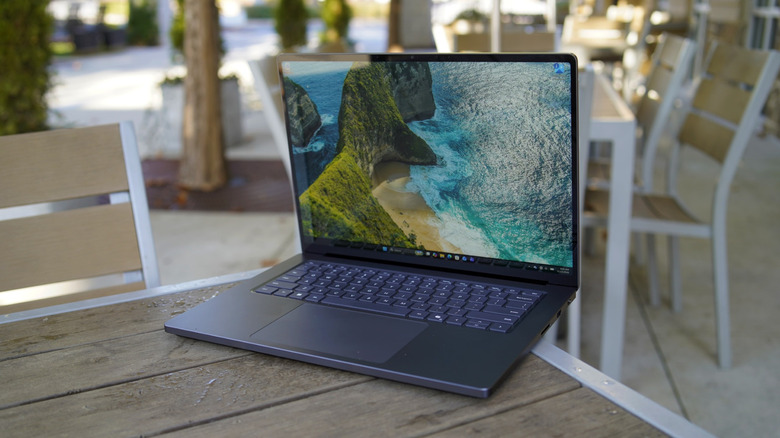
Microsoft initially touted the Surface Laptop Ultra's 15-inch screen as the brightest laptop display on the market, thanks to its eye-searing 2,000 nits of HDR brightness. Apple's new MacBook Pro with PROLED Display stole that thunder a bit, though: Its screen can reach the same brightness, and its OLED screen delivers deeper blacks and higher contrast. The Surface Laptop Ultra's mini-LED display is still plenty impressive though, especially while watching films in HDR with rich colors, or playing games that truly push its brightness and HDR capabilities.
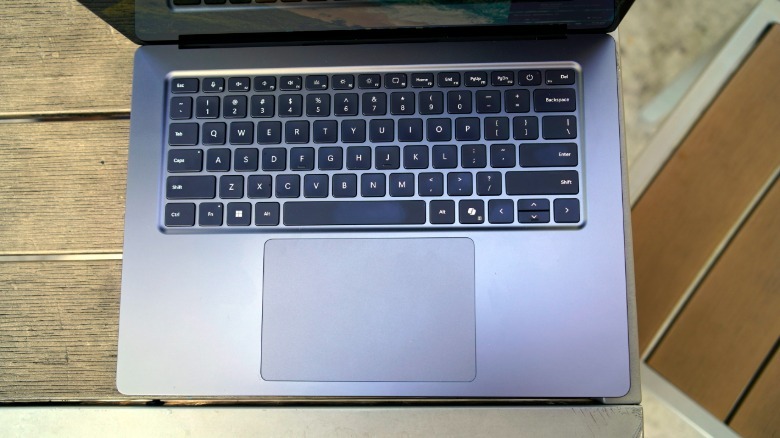
The Surface Laptop Ultra also features a keyboard that's similar to the Surface Laptop's, which has always felt great to type on thanks to its deep key depth and satisfying feedback. Its large trackpad also supports newer haptic feedback in Windows — for example, you can feel a slight nudge as you move apps along the edges of the screen to lock them into place. We've seen similar haptic feedback in mice like Logitech's MX Master 4, and while it's not exactly groundbreaking, I find it to be a nifty addition to the aging Windows interface.
 Devindra Hardawar for Engadget
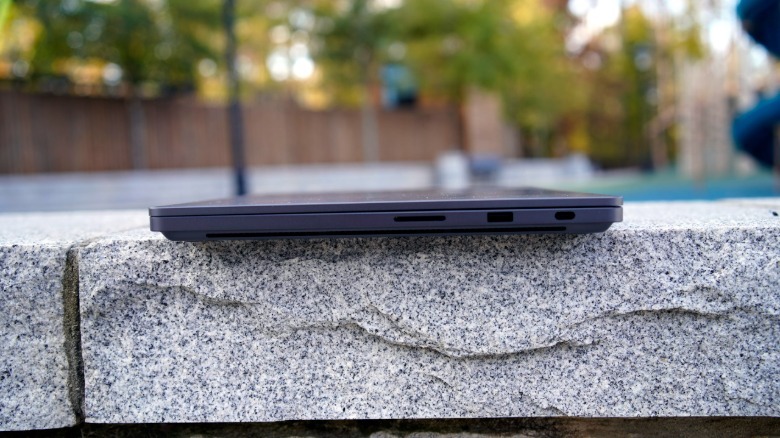
Strangely enough, one of the most interesting things about the Surface Laptop Ultra is its magnetic USB-C charging cable. It allows the notebook's charging cable to snap into place on one USB-C port, and similar to Apple's MagSafe cable, it also lets the cable easily slide out if someone trips on it. It's a useful replacement for the proprietary Surface charging connection, since it allows Microsoft to keep a standard USB-C port on the Laptop Ultra for charging, which will also work seamlessly with every other USB-C charging cable. The magnetic USB-C charging cable is Microsoft's invention, but the company says it could bring it to partner laptops if they're interested.
The Surface Laptop Pro's ports mostly match the MacBook Pro's, with three USB-C ports, HDMI, SD card slot and a headphone jack. But, crucially, there's also a USB Type-A connection for older devices. I could see that being very useful for some Windows creatives.
In-use: Living up to the name... mostly
 Devindra Hardawar for Engadget
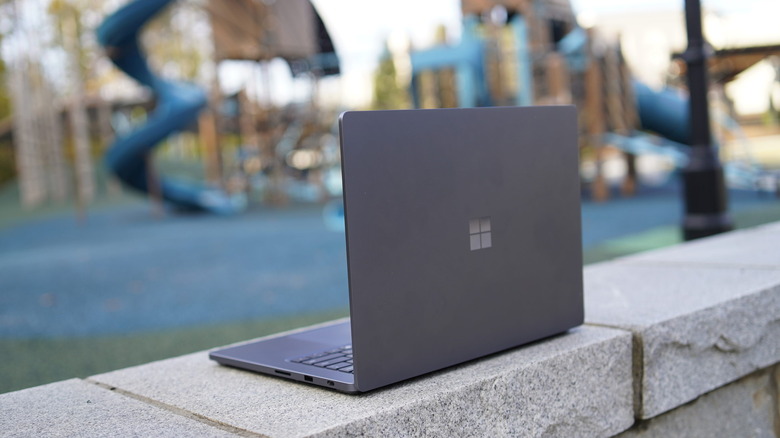
The Surface Laptop is a beautiful beast. While every RTX Spark laptop will be similarly speedy, Microsoft has gone to great effort to make the Surface Laptop Ultra stand out from every other Windows notebook. Its aluminum case feels both as solid as a rock, and as smooth as a piece of fine jewelry. It also rejects fingerprints so it always looks pristine — something the ASUS ProArt P16 completely failed at. I wish the Surface Laptop Ultra was a bit lighter, though: At 4.4 pounds, it feels more like a brick than I'd expect for a premium notebook in 2026. Dell's XPS 16 weighs 3.65 pounds, and Apple's new 16-inch PROLED MacBook Pro comes in at 4 pounds.
In benchmarks, the RTX Spark chip excelled at multi-threaded tests, like Cinebench 2024, where it scored several hundred points higher than the ASUS ProArt PX13, which was powered by AMD's Ryzen AI Max+ 395 chip. NVIDIA still lags behind Apple, though. The new PROLED MacBook Pro, which was powered by an M5 Pro chip, scored 2,188 points in that same test, whereas the Surface Laptop Ultra came in at 1,553 points. Apple also has the lead in single-threaded performance: The M5 Pro scored 192 points to the Surface's 120. Apple's newer M6 chip in the 14-inch MacBook Pro does even better, reaching 210 points.
NVIDIA's big draw is that its chip can power Windows and Linux, while you'll need to become a macOS convert to use Apple's hardware. While doing so isn't tough these days, I've talked to AI researchers who rely on Windows apps to get their work done. Moving to a Mac would just be a pain for them.
 Devindra Hardawar for Engadget
The Surface Laptop Ultra scored 1,000 points lower than the ASUS ProArt P16 in the PCMark 10 Applications test, which is surprising since they're both using the same RTX Spark chip. It could be a difference in RAM: The Surface Laptop we tested had 32GB of RAM, while the ASUS was stuffed to the brim with 128GB. But in real-world usage, that extra RAM is only useful if you want to run large AI models on your system, it doesn't directly mean faster performance. And personally, I'll take Microsoft's refined build quality over slightly better benchmark speeds any day.
With 32GB of RAM, our review unit couldn't run the massive AI models that fit into the ASUS P16, but I was still able to get OpenClaw running with Qwen3.6 35B-A38. It was quick to fetch me updates on recent news, as well as transcribe audio from a podcast. I even had it generate an audio podcast from a written review — sacrilege for a podcaster, I know — and it managed to do so in a few minutes. I don't personally use agentic AI models, but with a bit more RAM, I could see the Surface Laptop Ultra being a fitting home for one.
Given its GPU prowess, I wasn't surprised to see the Surface Laptop Ultra reach 87 fps in Cyberpunk 2077 while playing in 1440p with maxed-out graphics settings, 4x frame generation and path tracing enabled. That would be my ideal way to play that game on a 15-inch screen. I could even hit 117 fps by pushing the frame generation to 6x, but that leads to occasional graphical weirdness. I was also able to crank up the graphics settings in Star Wars: Galactic Racer and Gears of War: E-Day while keeping a decently high frame rate.
While I would have liked to see more than a 120Hz refresh rate on the Surface Laptop Ultra, that's still fast enough to make most games look pretty smooth. (There's also the additional benefit of making scrolling around Windows look much smoother.) And I can't praise Microsoft's screen technology enough. At times, I preferred playing Gears of War on the Surface Laptop Ultra instead of my 32-inch 4K gaming monitor, simply because it looked so much brighter.
As for battery life, the Surface Laptop Ultra lasted for 13 hours and 25 minutes in the PCMark 10 battery benchmark. That's two and a half hours longer than the ASUS ProArt P16 and 90 minutes more than the XPS 16. During the workday, I used the system for around seven and a half hours before it conked out, handling a variety of video calls, writing and web browsing across dozens of tabs.
Should you buy the Surface Laptop Ultra?
 Devindra Hardawar for Engadget
If you're a diehard Windows user (yes, they exist) who's really into AI, and you want one of the most premium laptops around, the Surface Laptop Ultra is a solid choice. But just be aware that you'll have to pay out the nose to enjoy it. Our review unit, which was equipped with 32GB of RAM, 1TB of storage and the full-powered RTX Spark chip, sells for $3,700. Bumping up to 64GB of RAM would run you $4,300, and it jumps to $5,900 with 128GB of RAM. All of a sudden, the $2,600 base price doesn't seem so bad.
It's strange that the Surface Laptop Ultra maxes out at 2TB of storage, though. Other premium systems have offered up to 4TB for years, shouldn't the "Ultra" Surface device at least match that?
If you have deep pockets and want the most for your money, though, Apple's MacBook Pros are still a better choice when it comes to pure power. NVIDIA's first-gen RTX Spark chip just can't beat the M5 Pro, and it's certainly no match for even more capable M5 Max and Ultra chips. Sure, they'll cost a ton, but you can also get a 16-inch MacBook Pro PROLED that weighs just four pounds and is stuffed with 128GB of RAM. If you're already spending close to $10,000 on a laptop, why not get the best one possible?
Wrap-up
 Devindra Hardawar for Engadget
Microsoft has finally managed to make a powerful Surface device with modern hardware, something it failed to do with the previous Surface Book and Laptop Studio systems. The Surface Laptop Ultra's sheer refinement is a sign of just how far Microsoft has come. It sure is expensive, though. And even with its high price tag, it still lags behind Apple's hardware when it comes to raw performance.