Here's what to pay attention to when building a home theater system.
By Dave Meikleham July 22, 2026 11:30 am EST Archideaphoto/Getty Images
 Are you considering buying a home theater setup? Then you might be wondering what surround sound channel numbers mean. Most systems are either broken down into an X.Y or X.Y.Z notation. Typically, the first digit always relates to ear-level speakers, the second relates to whether there's a subwoofer or not, while the optional third is a specific type of speaker sometimes found in ultra-fancy Dolby Atmos systems.
Before you splurge on the best gear to upgrade your home theater setup, familiarize yourself with surround sound channel numbers. You should also consider just how many speakers you actually need depending on the size of your room and the budget you're working with, which we'll get into.
What do surround sound channel numbers mean?
 Tiero/Getty Images
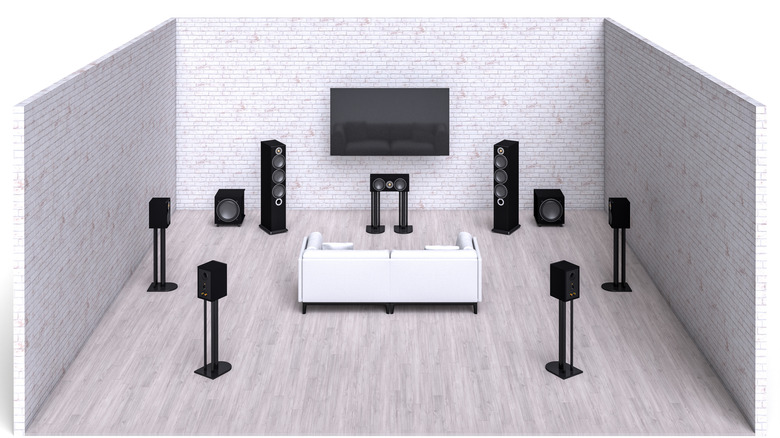
 This is a pretty simple equation. Whether dealing with a two or three digit notation, that first number always denotes the number of ear-level speakers in a surround sound system. As for the second digit, that lets you know whether a home theater setup has a subwoofer or not (if it's a "1" it does, if it's a "0" it doesn't). When dealing with three-number systems, the third digit points to how many overhead speakers there are (or, as is more common in an at-home setup, how many upward-firing speakers there are). Such speakers are generally reserved for high-end Dolby Atmos or DTS:X surround sound systems.
Let's break that down in real-world terms. The most common speaker setups are usually either 2.0, 2.1, 5.1 or 7.1 systems. A 2.0 setup consists of two ear-level speakers, 2.1 is the same setup with the addition of a subwoofer, 5.1 is five speakers and a sub and 7.1 is seven speakers and a woofer. Some expensive Dolby Atmos systems come in a 5.1.2 formation, which means five ear-level speakers, a subwoofer and a duo of overhead or upward-firing speakers.
How many speakers do I need in my surround sound setup?
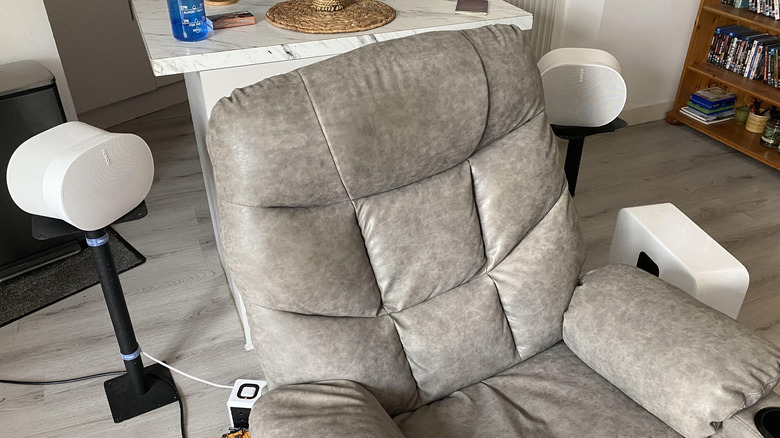 Dave Meikleham for Engadget
 This is super subjective. The amount of speakers you 'need' really boils down to how big your lounge is, the size of your budget and the type of content you watch. If you're constantly watching big-budget action movies, you'll likely want either a 5.1 or 7.1 system. The former normally starts around the $500 mark, while the cheapest 7.1 arrangements usually cost a minimum of $1,500. Should you really want to push the AV boat out, you could easily spend upwards of $3,000 on a 5.1 system and over $4,000 on a 7.1 setup.
It's important to note that space plays a major factor in what type of surround sound system you should go for. If you live in a cramped apartment and don't have the space for a bunch of speakers — not to mention speaker stands — you'd be better off with a quality soundbar to boost your TV audio paired with a subwoofer. Conversely, if you live in a mansion with a living room the size of an aircraft hanger and money is no issue, by all means treat yourself to a luxurious 7.1.2 Dolby Atmos home theater setup.
You can actually put together an excellent surround sound system with minimal speakers. Many soundbars now offer convincing spatial audio, like the Atmos-compatible Sonos Arc Ultra. With 14 drivers spread out in a 9.1.4 channel configuration, the $1,000 Arc Ultra can deliver a room-filling soundscape without the need for additional surround speakers. That said, if you've just won the Powerball, you can up the audio ante by pairing it with a Sonos Sub or a pair of Sonos Era 300 smart speakers for an extra $960. The likes of the $1,600 Samsung Q-Series HW-Q990F is a brilliant alternative, consisting of a Dolby Atmos soundbar, a subwoofer and two rear speakers.
How many channels are good for a speaker system?
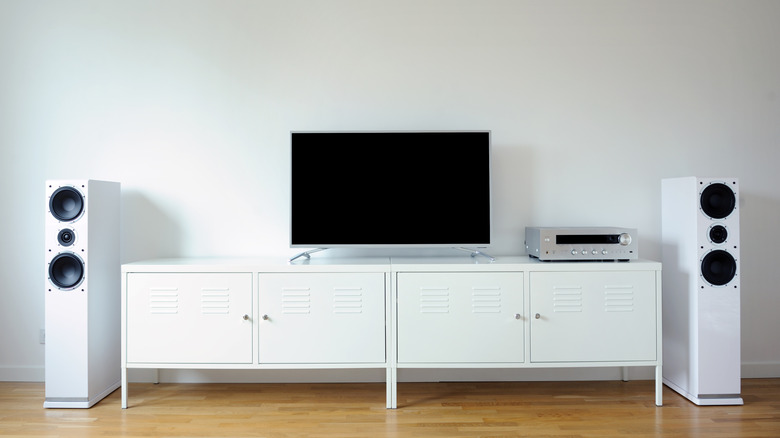 Aliaksandr Litviniuk/Getty Images
 What "good" means is, once again, oh so subjective. If your living room is small and you mainly listen to music, a two speaker system or a soundbar will service your sonic cravings at a budget-friendly price. For those of you who are regularly glued to games on the PS5 or Xbox Series X/S — many of which support Dolby Atmos, like Cyberpunk 2077 — you'll want a proper 5.1 system for that true home cinema experience.
Unless you've amassed a huge collection of 4K Blu-rays and want the most immersive home theater setup possible, you probably don't need a 7.1 surround system. And if you rent, the prospect of attaching overhead speakers to the walls of your lounge is probably a non-starter. 5.1 surround systems offer the sweet spot between price and performance. Movie lovers with decent sized lounges should go for these setups that consist of a central speaker, two surround speakers, a duo of rear speakers and a subwoofer. For more casual TV watchers who don't know the differences between Dolby Digital, DTS and Atmos, a soundbar and a sub (for those who crave deep, resonant bass) should suffice.